Sintech Connect
Android · Google Play
Native Kotlin app for dealers in the field: wholesale catalogue, ordering, payment proof, order tracking, repair booking, in-app calls and push notifications.
DealersGoogle Play ↗

A complete wholesale ecosystem: dealer app on Google Play, installable web app, role-based admin, a staff app that rings for support calls, and a public catalogue.
Flagship build · Sintech
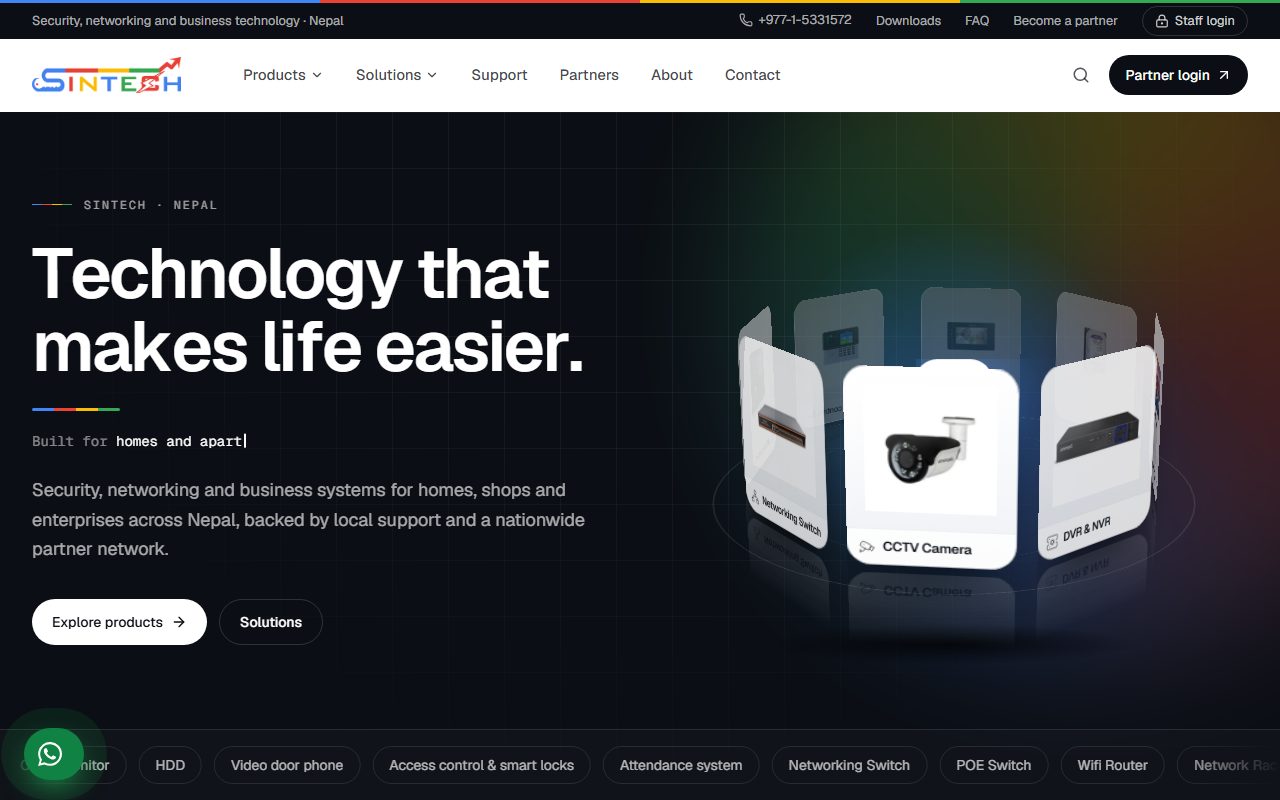
Sintech distributes CCTV, networking, access-control and attendance hardware across Nepal. We replaced phone-call orders, paper repair slips and hunting for drivers with a single connected system: dealers order, pay, track, book repairs and call support from their phone, while sales and repair staff run the other side from an admin panel and a staff app that rings.
Sintech platform
One API and one PostgreSQL database behind every app, so an order, a repair or a call is the same record wherever it is opened.
API · PostgreSQL · Push · Calls
Android · Google Play
Native Kotlin app for dealers in the field: wholesale catalogue, ordering, payment proof, order tracking, repair booking, in-app calls and push notifications.
Installable PWA
The same features in the browser, installable to the home screen on iPhone and desktop, with web push once installed.
Installable PWA
Orders, payments, dealers, catalogue, repairs, support threads, knowledge base and settings — each screen gated by the signed-in role.
Android staff app
The admin panel in a native shell that rings like a phone call when a dealer calls support, even with the screen locked, and carries native push.
Public website
About 450 products in 16 families, synced from the platform, with tutorials and driver downloads. Wholesale prices never leave the dealer side.
Role-based access
Access is decided by the API on every request, not by hiding buttons. A dealer cannot reach a staff screen, a repair technician does not see the money side, and the public site cannot see a price.
Track everything
Unpaid orders can be edited inline; estimates and invoices download as A4 or A5 PDFs.
Each item carries its warranty status, and a Needs action list shows both sides what is waiting on them.
Free in-app voice over WebRTC, relayed when networks block direct calls. Missed calls are noted for both sides.
What it does
Wholesale catalogue with search, subcategories, quick-add, favourites and one-tap reorder.
Bank transfer or wallet, with a photo of the receipt uploaded against the order for staff to verify.
Printable A4 and A5 PDFs with model numbers on every line, shareable from the phone.
Book a repair, see the quote, pay, and follow it through the bench to completion.
Support threads plus free in-app voice calls between dealers and staff.
Push on Android and the web, per-event preferences, and quiet hours in Nepal time.
A searchable common-problems browser with video tutorials and a staff-written knowledge base.
Software and drivers attached per product or per category, on the app and the public site.
A keyed, read-only catalogue feed that keeps a partner retailer's store in sync.
Google sign-in, rotating sessions revocable per device, and role checks on every API call.
The problem
Dealers ordered by phone and the office rewrote every order by hand. Nobody could say whether an order had shipped without ringing someone, repairs travelled on paper slips with no record of warranty, and installers called the office to ask for drivers and setup help.
Sintech distributes CCTV, networking, access-control and attendance hardware across Nepal, and this is the most systems-heavy project we run. One NestJS API and PostgreSQL database sit behind five surfaces. Dealers use Sintech Connect, a native Kotlin app on Google Play, or the same features as an installable web app on iPhone and desktop: they order at their own wholesale price, upload payment proof, follow each order from Placed to Delivered, download estimates and invoices, book repairs and follow them through the bench, and call support for free inside the app. Staff work from an admin panel where every screen is gated by role — the owner sees everything, sales staff run orders and payments, repair technicians run the repair desk and answer calls — and from a staff Android app that rings like a phone call when a dealer calls in. Notifications go out as push on Android and the web, with per-event preferences and quiet hours in Nepal time. Video tutorials, a knowledge base and driver downloads answer the questions that used to be phone calls, and the same catalogue feeds the public website and a partner retailer without ever exposing a wholesale price.
Five apps on one platform — two Android apps, two installable web apps and a public website — sharing one API, one database and one set of rules.
Ask about our work
Answers from this site — not a person
Ask me anything about what we build, what it costs, or how long it takes. I answer from this website's own content, and I will say so when I do not know.
Chat with us
Typically replies within a few hours
Ask about a price, a timeline, or send us the address of a site you want fixed. A person answers — Sunday to Friday, 9am to 6pm.
Start WhatsApp chat